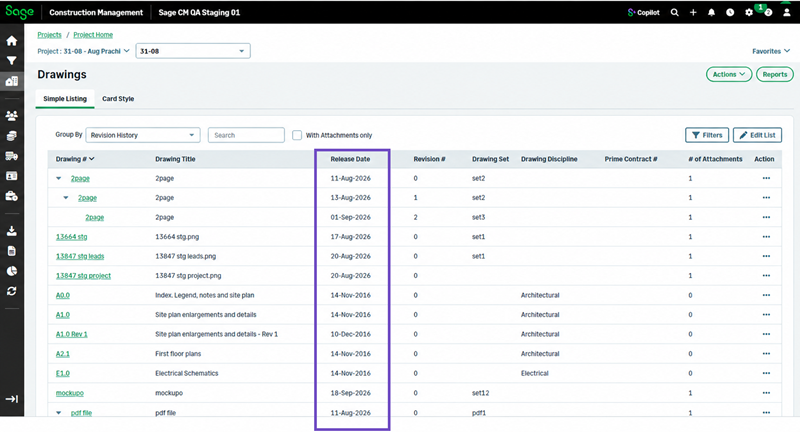
View drawing release dates in revision history
Related information
 Related topics
The Revision History view in Drawings now includes a Release Date column, making it easier to identify when each drawing revision was released and review revision timelines.
Details
When you group drawings by Revision History, the list now displays a Release Date column for each revision, enabling you to:
- View release dates directly from the Revision History list.
- Compare drawing revisions more easily.
- Identify the latest released revision without opening individual drawing records.
How it works
- Go to Projects or Leads and select a project or lead.
- Select Drawings > Simple Listing.
- From the Group By list, select Revision History.
The Release Date column displays including the release dates for each drawing revision. You can use the release date information to track drawing revisions and view when each version of a drawing was released.