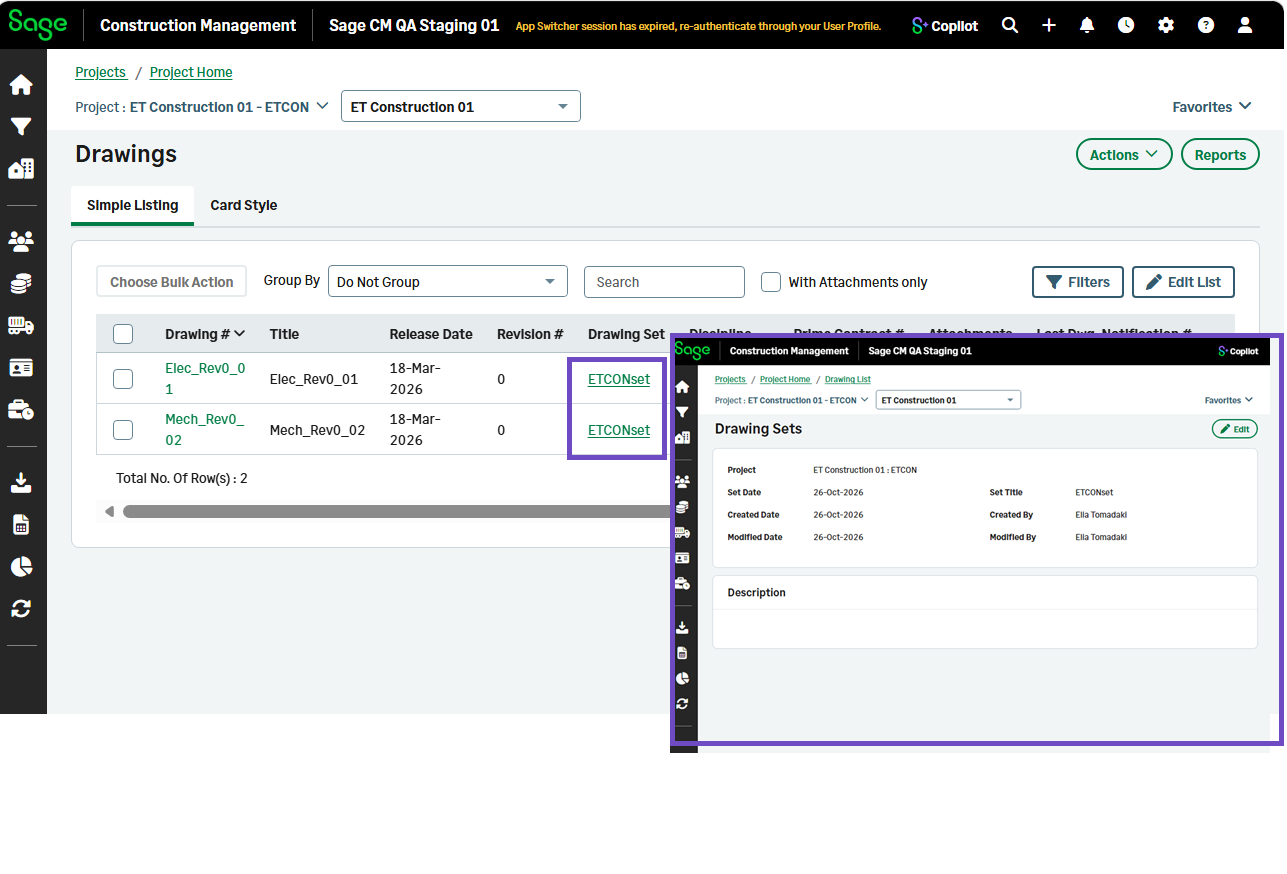
Add descriptions and access links to drawing sets
Related information
 Related topics
Drawing sets now include optional descriptions making it easier to organize drawings and access related information.
Details
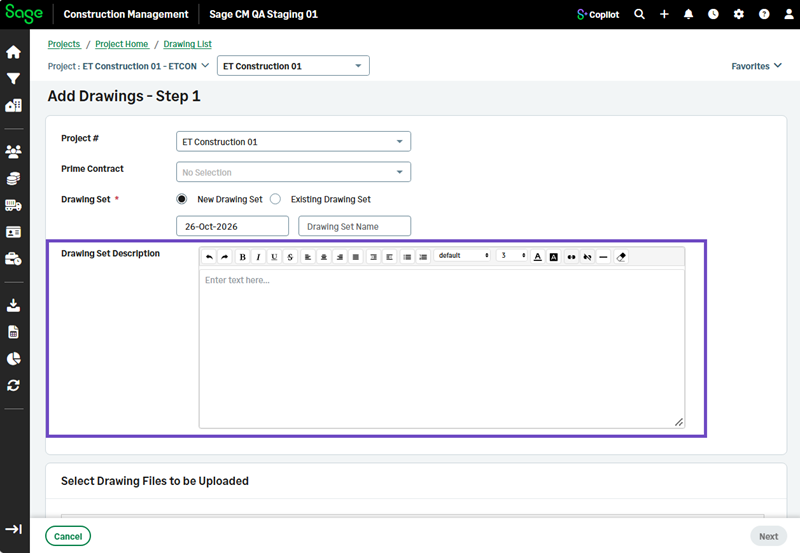
You can now add an optional description to explain the purpose or scope of the drawing set when creating or editing a set:
-
Using the Drawing Upload Wizard
-
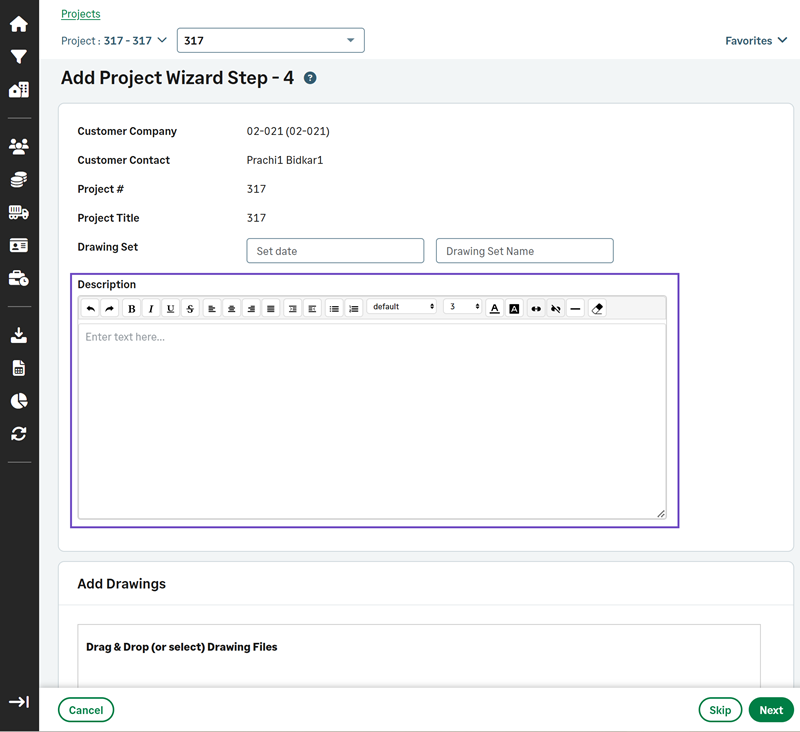
In step 4 of the Add Lead and Add Project wizards.
-
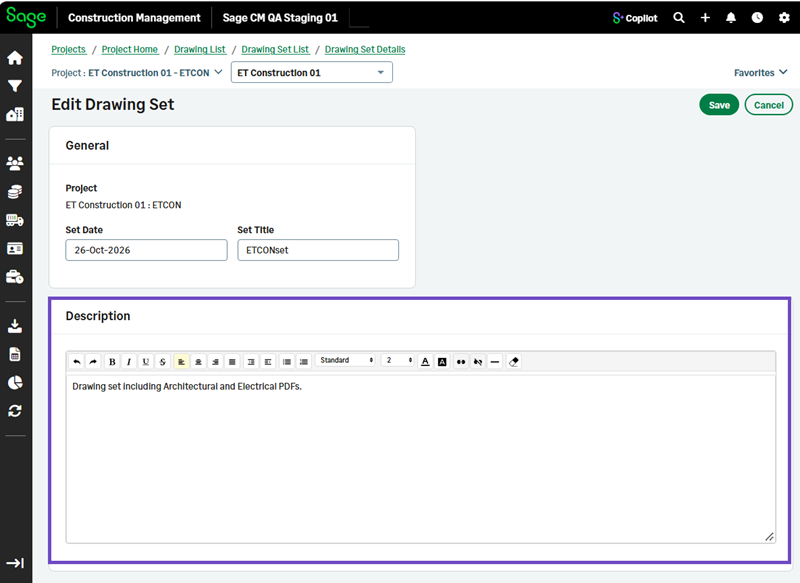
When editing a drawing set.
To view the drawing set description and other details, select the drawing set name in the Drawing Set column in Simple Listing.