Equipment Item page redesigned
Related information
 Related topics
The Equipment Item page now features a tabbed interface that helps you quickly access and manage equipment information.
Details
Previously, equipment item information was displayed on a single page. With this update, the Equipment Item page is organized into the following tabs:
-
Details
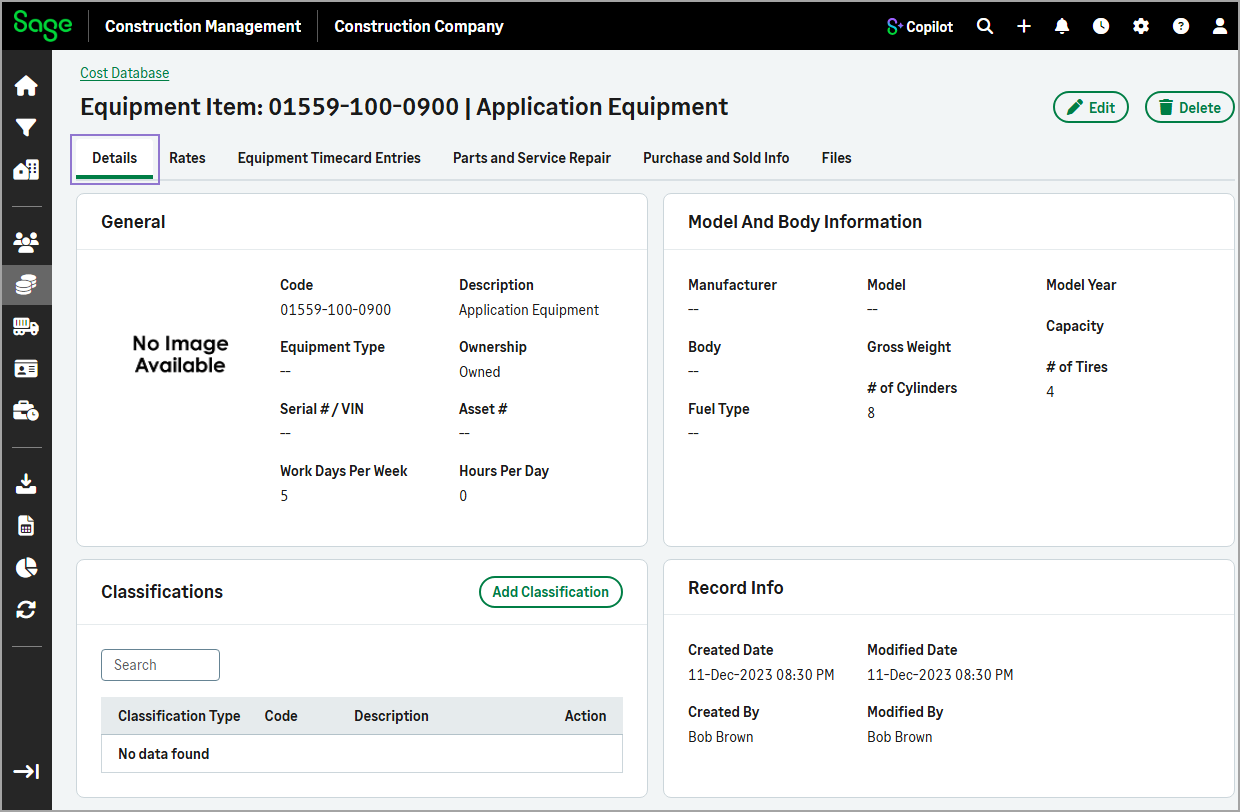
Displays general equipment information, model and body details, classifications, and record information.
-
Rates
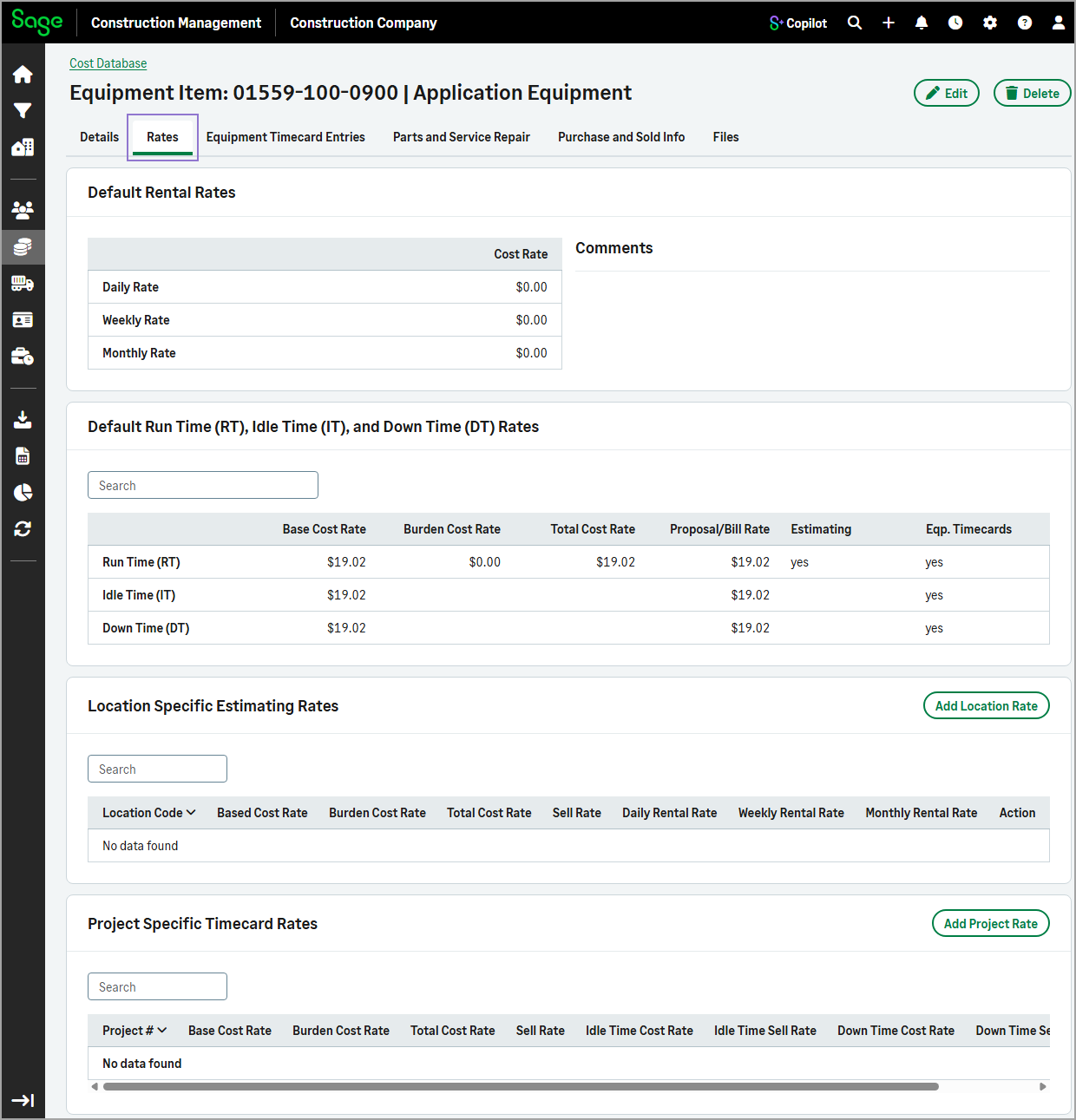
Displays default rental, run time, idle time, and down time rates, along with location-specific estimating rates and project-specific timecard rates.
-
Equipment Timecard Entries
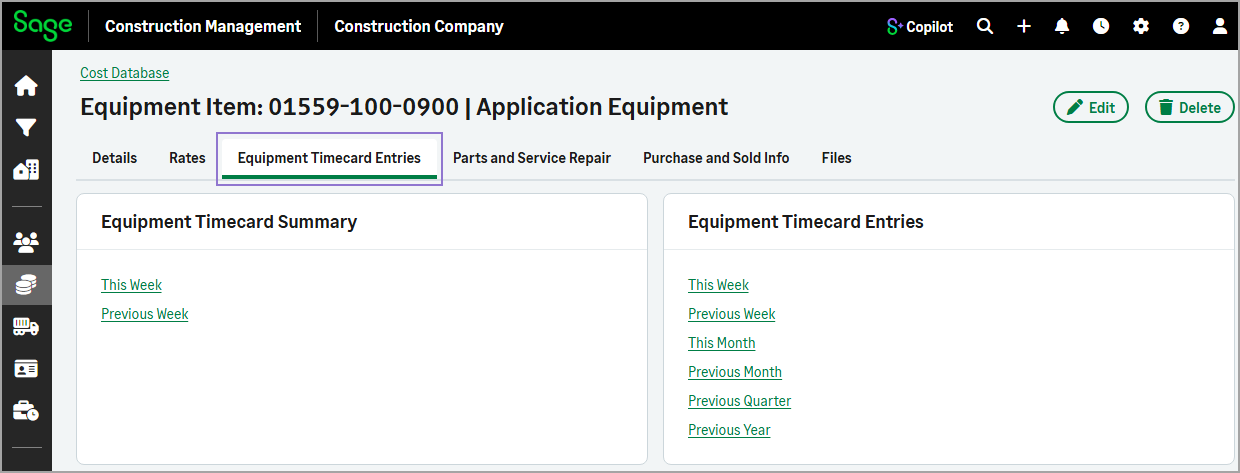
Provides quick access to equipment timecard summaries and related timecard entries for selected time periods.
-
Parts and Service Repair
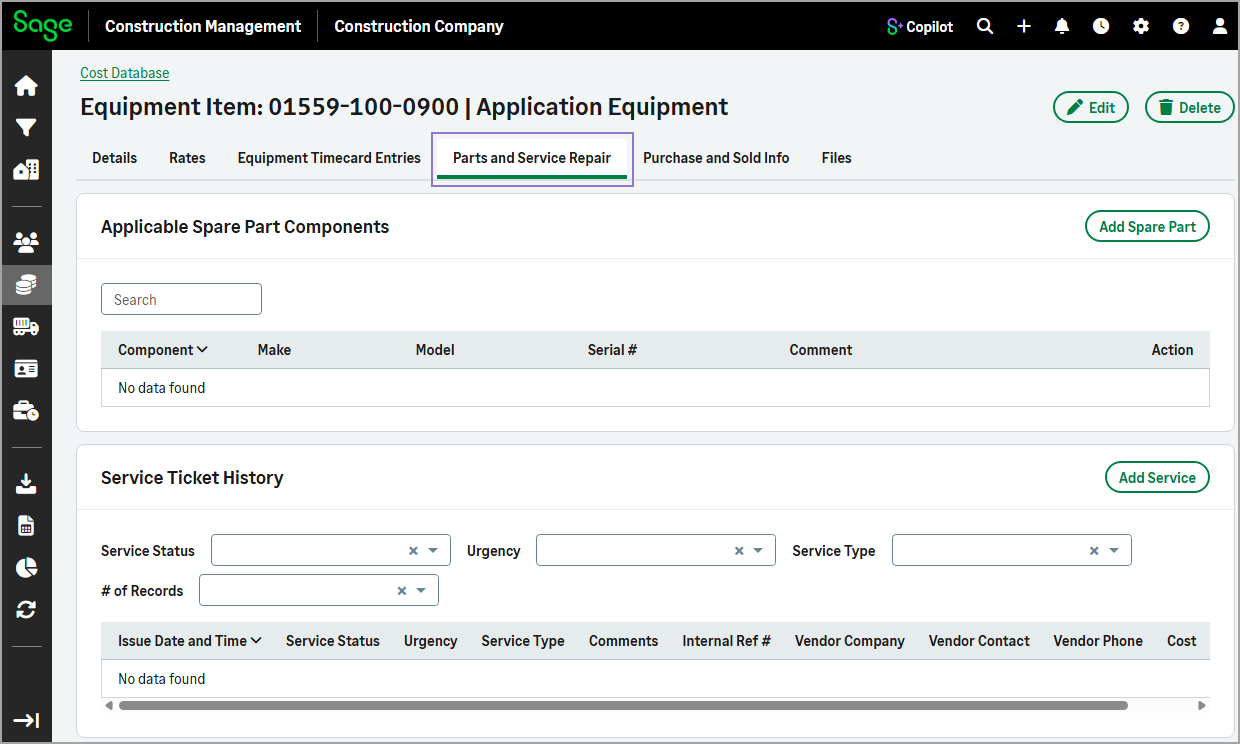
View spare parts and equipment service history directly within the Equipment Item page, eliminating the need to open separate pages.
-
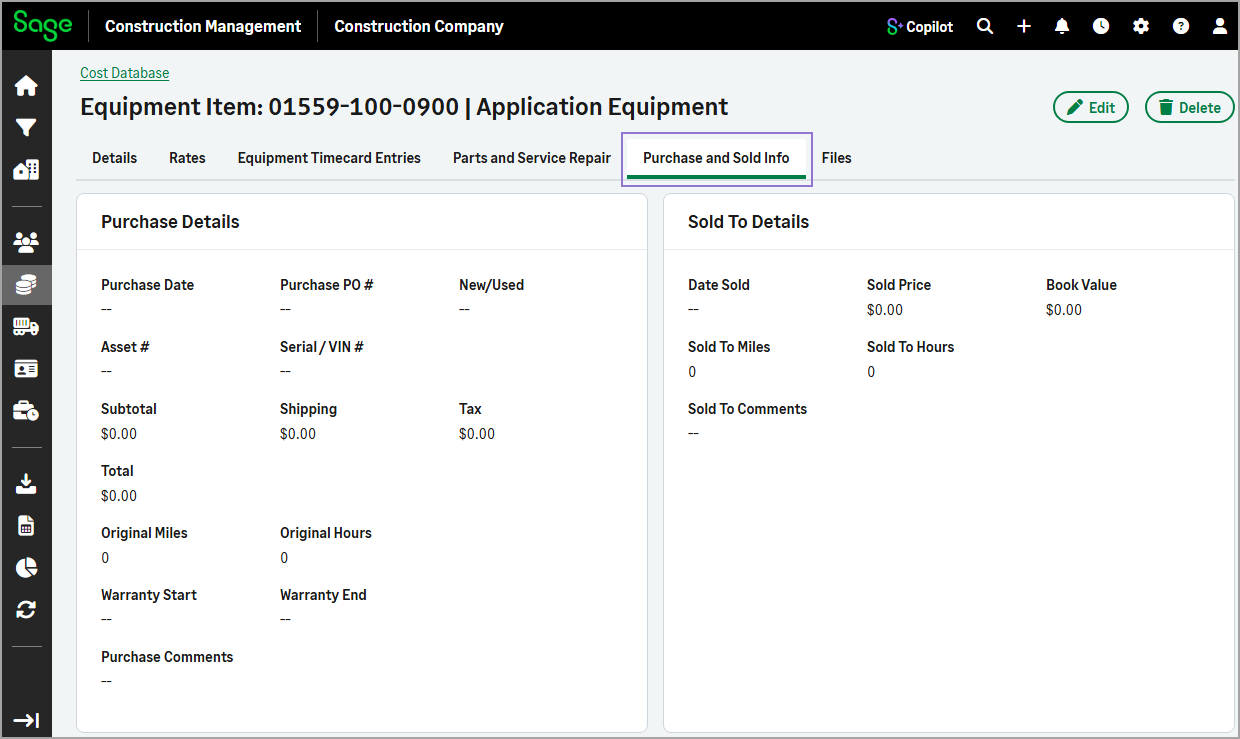
Purchase and Sold Info
Access acquisition, ownership, and sale information directly from the Equipment Item page without leaving the record.
-
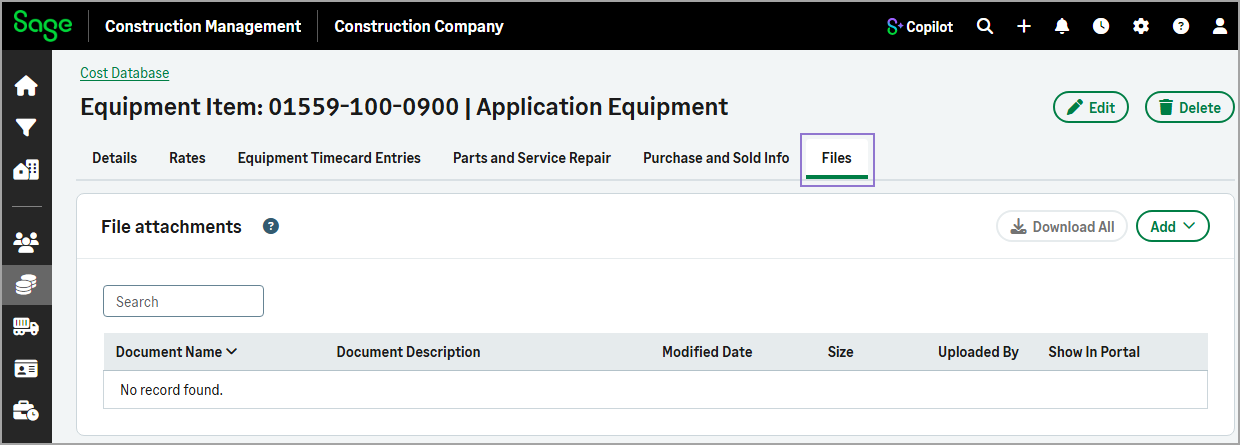
Files
Displays all files linked to the equipment item record.
The Delete action is also available at the top of the equipment item page, making it easy to remove the equipment item record directly from the page.
The Edit Equipment Item form has also been updated with a tabbed layout, making it easier to view and manage equipment item information. The form includes the following tabs:
-
Details
Add or update the equipment item's general, model, and body information.
-
Rates
Add or update the equipment item's default rental, run time, idle time, and down time rates.
-
Purchase and Sold Info
Add or update the equipment item's purchade and sale information.
These improvements make it easier to find, manage, and update equipment item-related data while preserving the existing functionality.
Key benefits
-
Faster navigation: Quickly access specific equipment information through dedicated tabs without scrolling through a long page.
-
Fewer page transitions: View and manage related details, such as parts, service history, purchase information, and sale records, directly within the Equipment Item page.
-
Simplified record management: Update equipment details and manage records more efficiently from a centralized location.
-
Improved user experience: The streamlined design reduces page reloads and provides a more intuitive way to work with equipment records.
How it works
- Go to Cost Database.
- On the Equipment Items tab, select the equipment code from the list.
- Use the tabs to view related information.
- To update information on the Details, Rates, and Purchase and Sold Info tabs, select Edit.
- To add classifications, on the Details tab select Add Classification in the Classifications section.
- To add location-specific estimating rates or project-specific timecard rates, select the Rates tab, and then select Add Location Rate or Add Project Rate.
- To view equipment timecard summaries and related timecard entries, select the Equipment Timecard Entries tab, and then select the appropriate link.
- To add spare parts or repair tickets, select the Parts and Service Repair, and then select Add Spare Part or Add Service.
- To link files to the record, select the Files tab, and the select Add to upload the file.
- To delete the equipment item record, select Delete at the top of the page.