Project page redesigned
Related information
 Related topics
The Project page has been redesigned to provide a more streamlined and intuitive experience. The new layout includes a project summary header and a tabbed interface that organizes project information, team contacts, schedules, analytics, and documents into a single workspace.
Details
With this update, the Project page features the following summary cards at the top of the page that provide quick access to key information:
- Status
-
Estimated Project Duration
-
Actual Project Duration
-
Overdue Items
-
Weather forecast: 5-day weather outlook displaying expected weather conditions for the current day and the next four days.
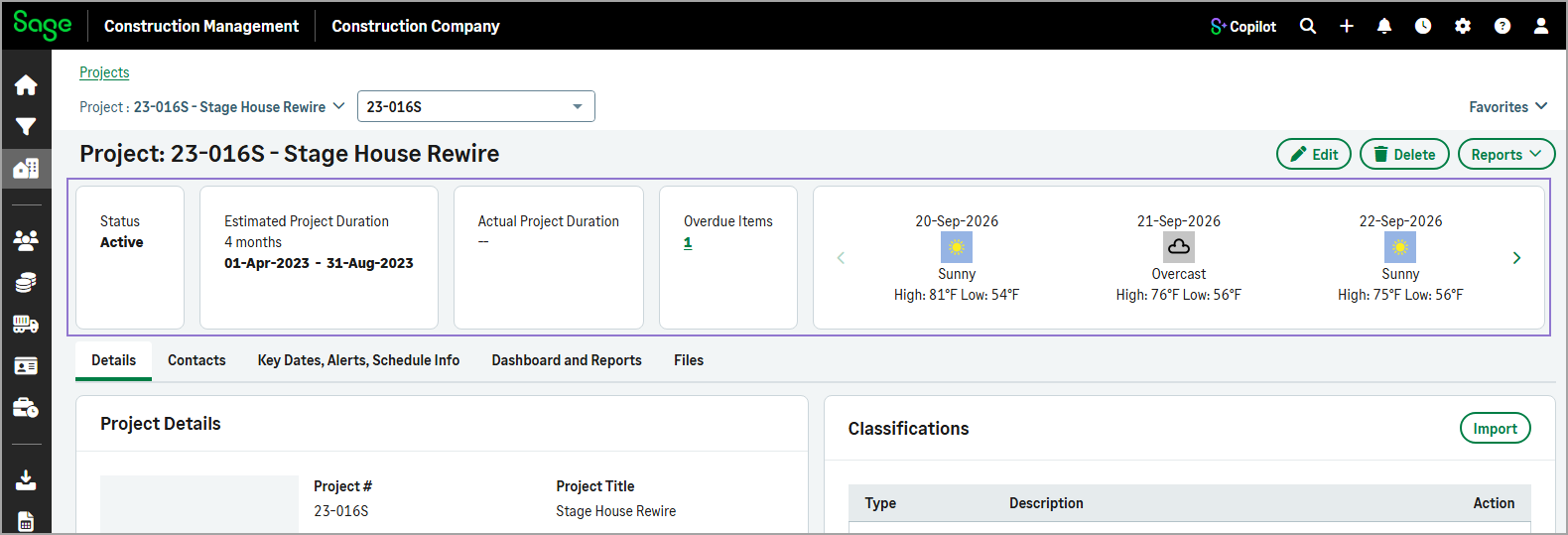
Below the summary cards, related project information is grouped into dedicated tabs that provide quick access to key details and records.
The redesigned Project page includes the following tabs:
-
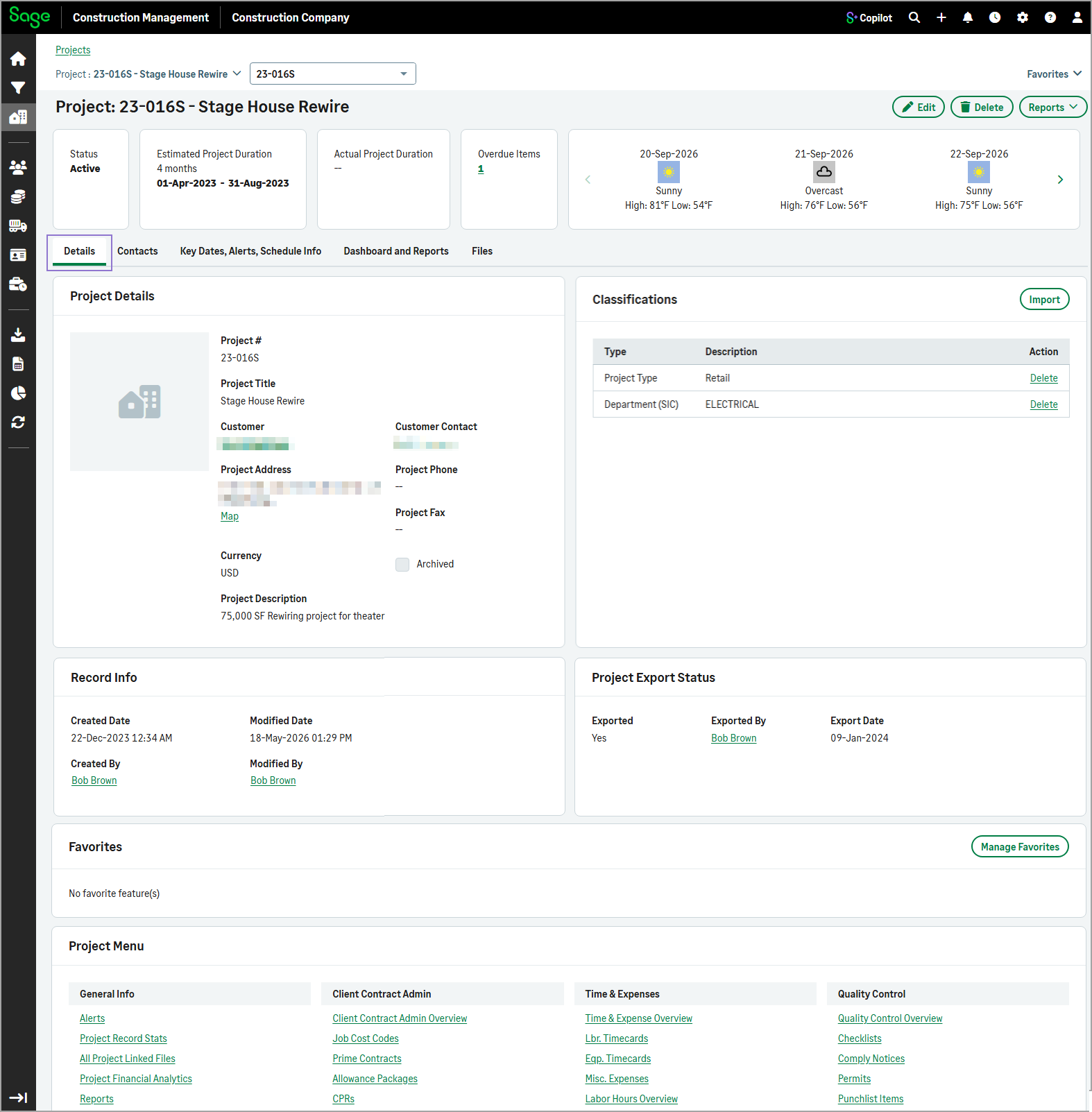
Details
Displays the project's general information, classifications, record information, export status, favorite features, and project menu.
-
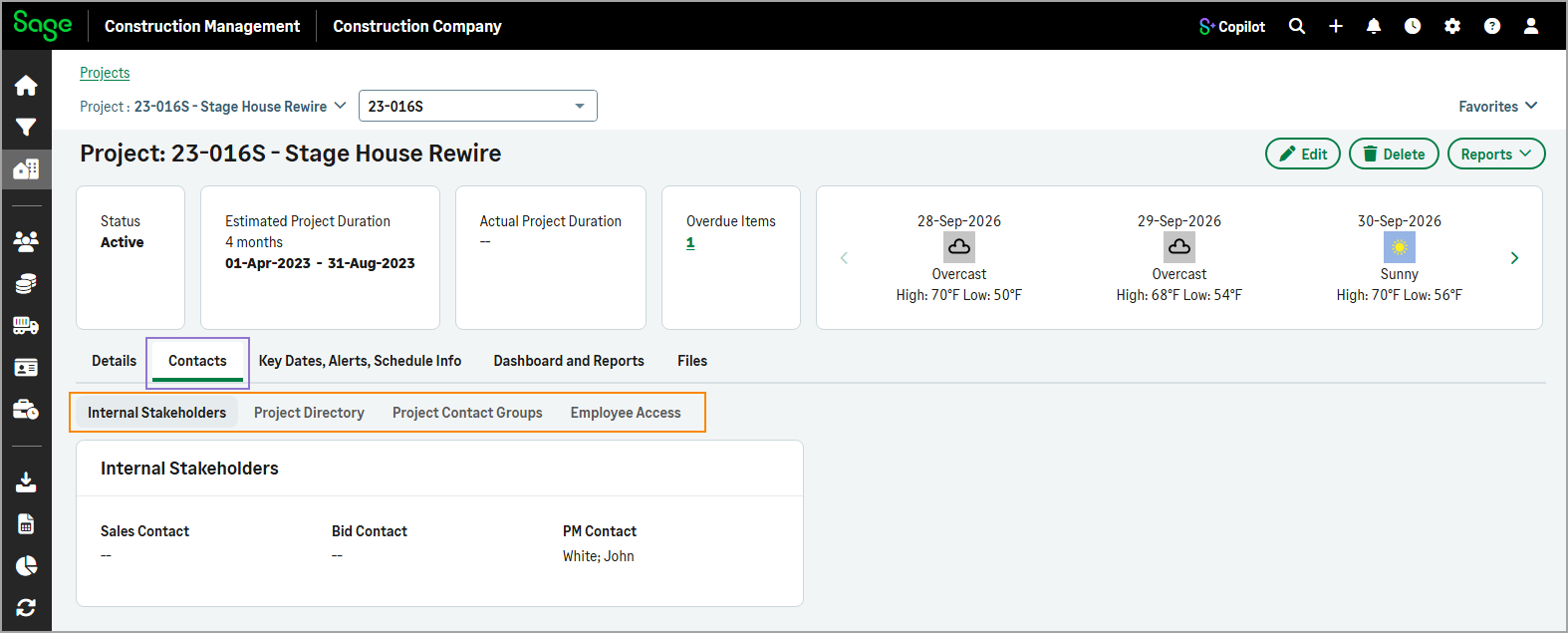
Contacts
Contains sub-tabs for Internal Stakeholders, Project Directory, Project Contact Groups, and Employee Access. Select a sub-tab to view its related contacts.
-
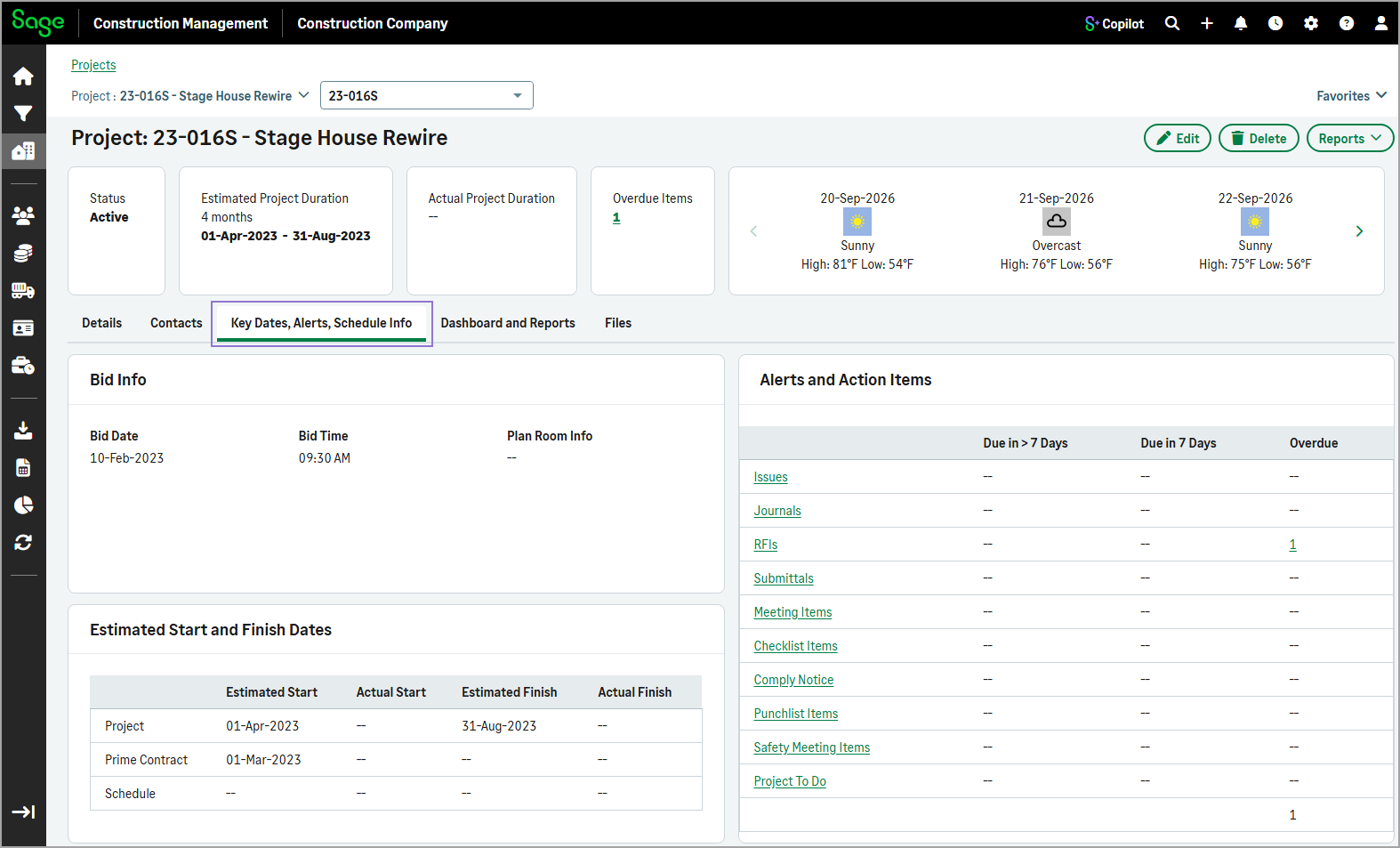
Key Dates, Alerts, Schedule Info
Displays the project's bid information, alerts and action items, and start and finish dates.
-
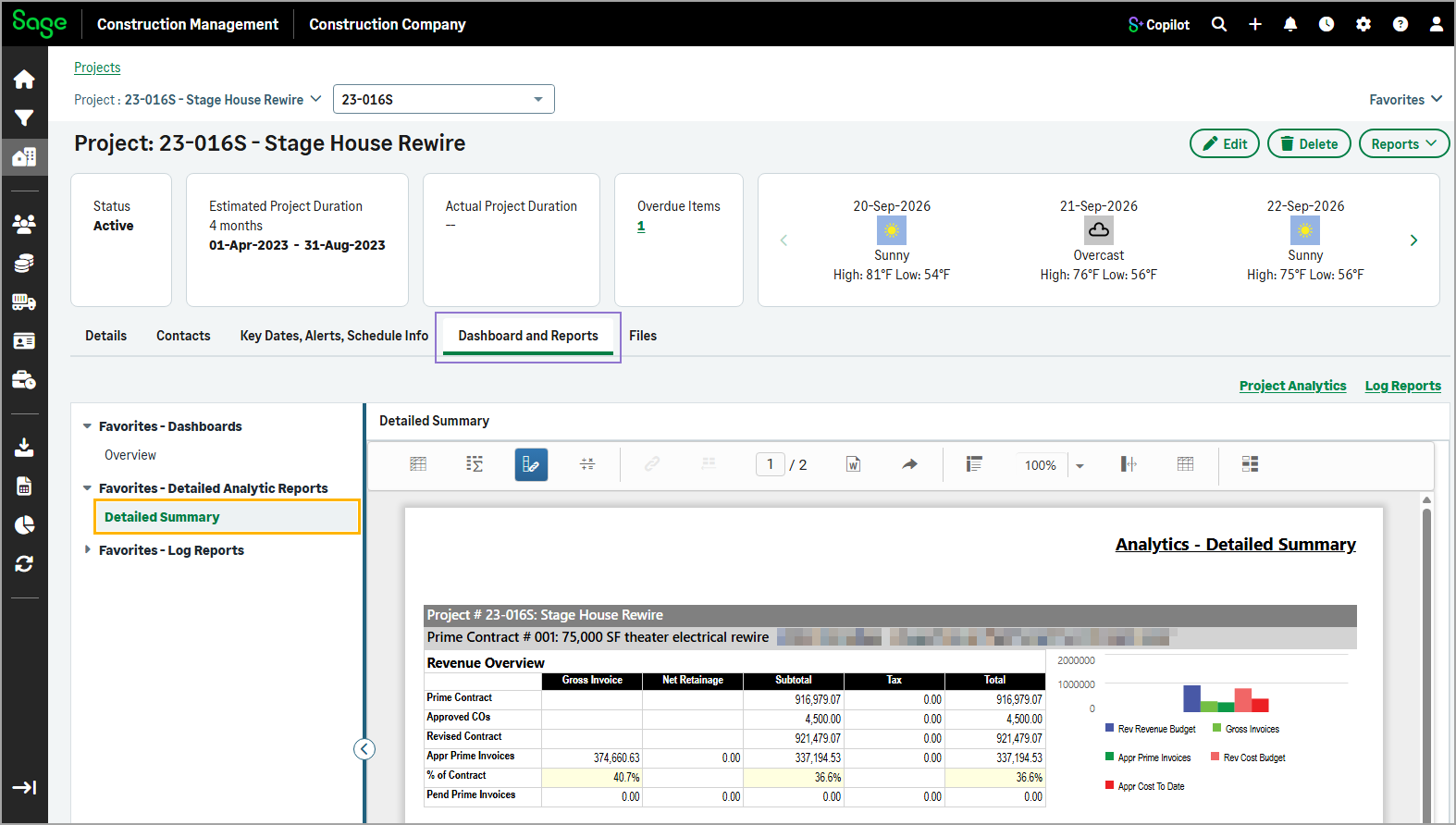
Dashboard and Reports
Displays lists with favorite dashboards, detail analytic reports, and log reports. Selecting any dashboard or report from the left side lists, opens it in the main viewing area.
-
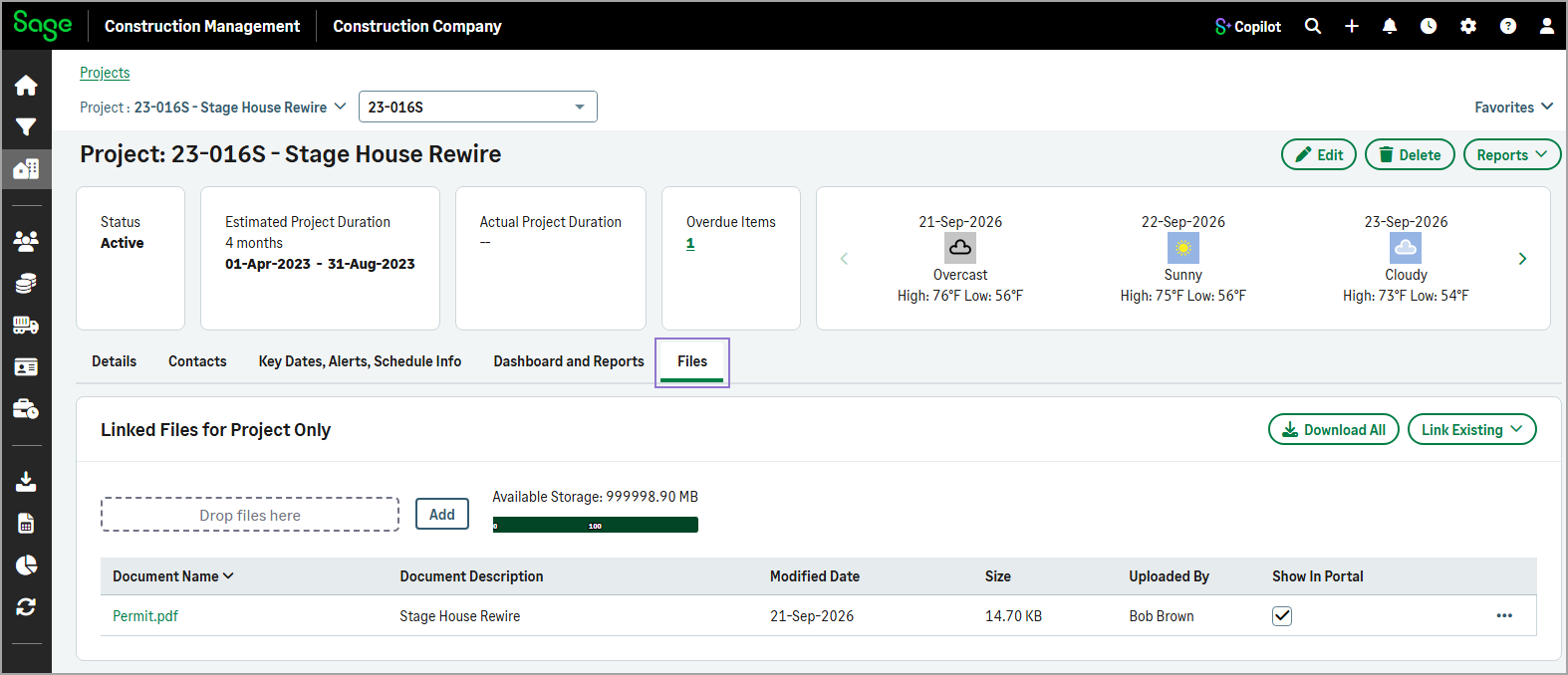
Files
Displays all files linked to the project record.
The Delete action is also available at the top of the Project page, making it easy to remove the project record directly from the page.
The Edit Project form has also been updated with a tabbed layout to simplify editing project information. The form now includes:
-
Details
Update the project's details, address, phone number, and fax number as needed.
-
Contacts
Add or update sales, bid, or project manager contacts.
-
Key Dates, Alerts, Schedule Info
Manage bid information and estimated or actual project start and finish dates.
These improvements make it easier to find, manage, and update project-related data while enhancing the existing functionality.
Key benefits
-
At-a-glance insights: Quickly understand project health with summary cards that highlight key information such as project status, schedule details, overdue tasks, and weather conditions.
-
Faster access to information: Navigate directly to the information that you need, using clearly organized tabs that reduce scrolling and improve efficiency.
-
Centralized team information: View project stakeholders, contact details, and the complete project directory from one location without leaving the project page.
-
Integrated analytics and reporting: Access favorite dashboards, detail analytic reports, and log reports directly within the project page, making it easier to monitor project performance and trends.
How it works
- Go to Projects and select the appropriate project from the list.
-
Use the tabs to access project information, including details, contacts, schedules, analytics, and documents.
Your tab selection is retained when you switch between projects during the same session.
- To update the project's general information, bid-related information, internal stakeholders, and project dates, select Edit.
- To add project classifications, select Import in the Classifications section of the Details tab.
- To link files to the project, select the Files tab, and then select Add.
- To view a dashboard or report, select the Dashboard and Reports tab, and then select a favorite dashboard, detail analytic report, or log report from the available lists.
- To delete the current project, select Delete at the top of the page.