View sent emails
Related information
 Related topics
You can now view the exact email sent to a user directly from a lead or project feature record, making it easier to verify communications and track correspondence history.
Details
A new To Email column has been added to the Sent Emails section of applicable feature records. Selecting an email address opens a dialog that displays the email's subject, sender address, delivery details, and the full email content sent to the recipient.
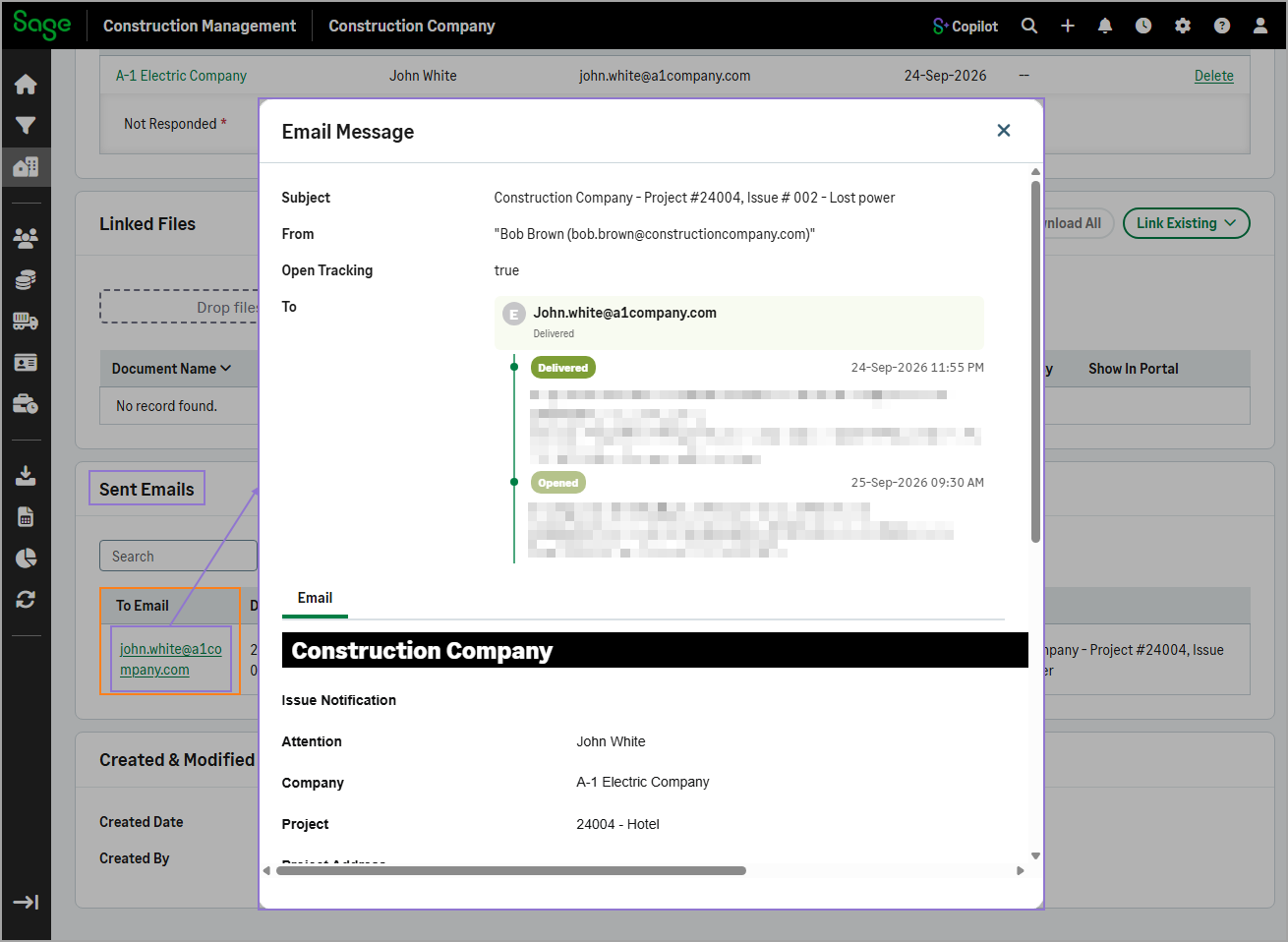
This enhancement is available in all feature records that include the Sent Emails section.
Key benefits
-
Quick verification: Quickly review the exact message sent to a user without leaving the record.
-
Save time: Eliminate the need to search separate communication logs or contact team members to confirm what was sent.
-
Support troubleshooting: Easily validate email content when investigating questions or resolving communication issues.
How it works
-
Go to Leads or Projects and select a lead or project from the list.
-
In the Lead Menu or Project Menu section, select the feature that contains the email record.
For example, select Issues.
-
Select the appropriate record from the list.
-
In the Sent Emails section, select the link in the To Email column for the email you want to view.