Work Assembly page redesigned
Related information
 Related topics
Details
Previously, all information related to the work assembly was displayed on a single page. With this update, the Work Assembly page has been redesigned with a tabbed layout that organizes information into the following sections:
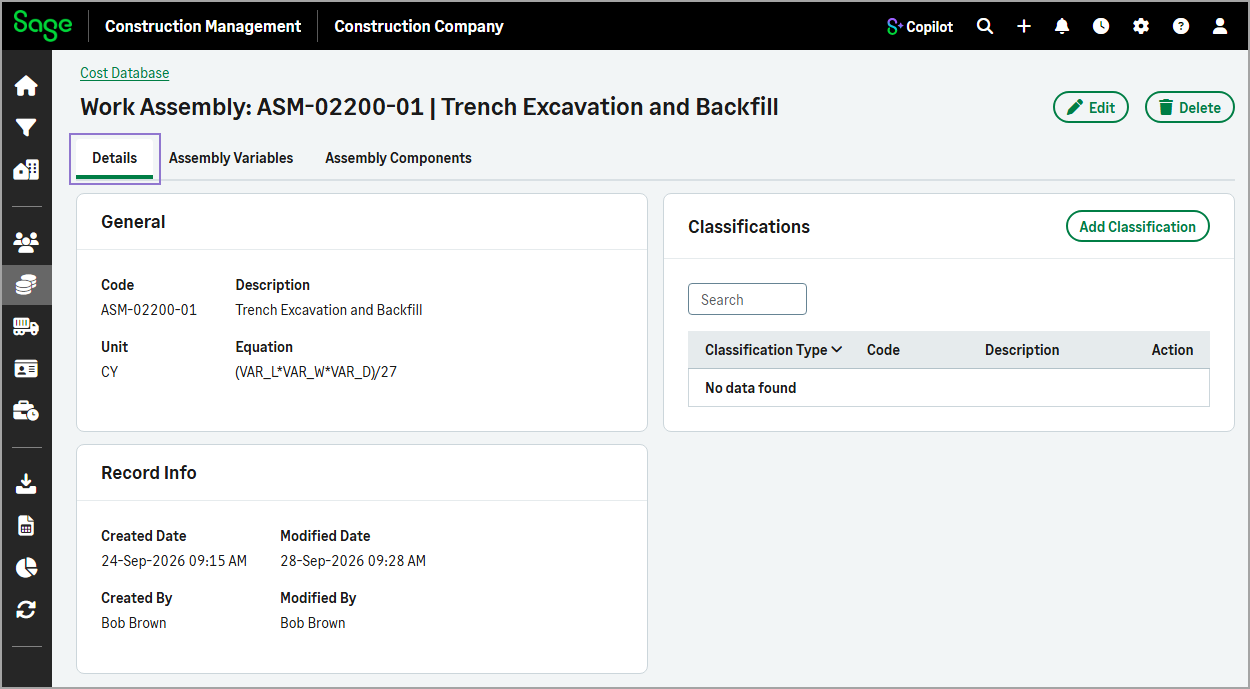
Details
Displays general work assembly information, classifications, and record details.
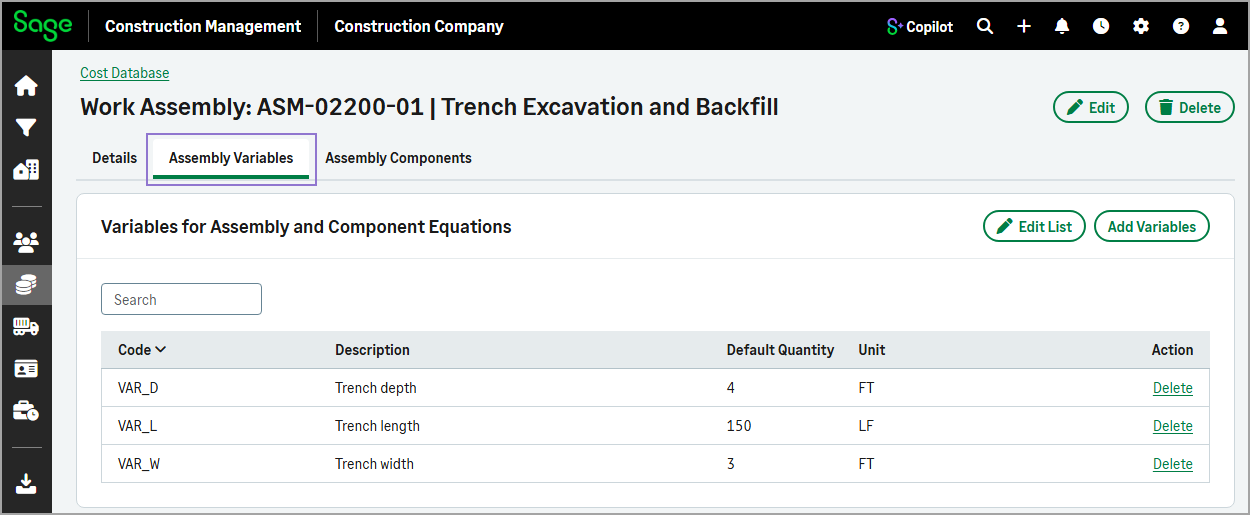
Assembly Variables
Lists the variables for the assembly and component equations.
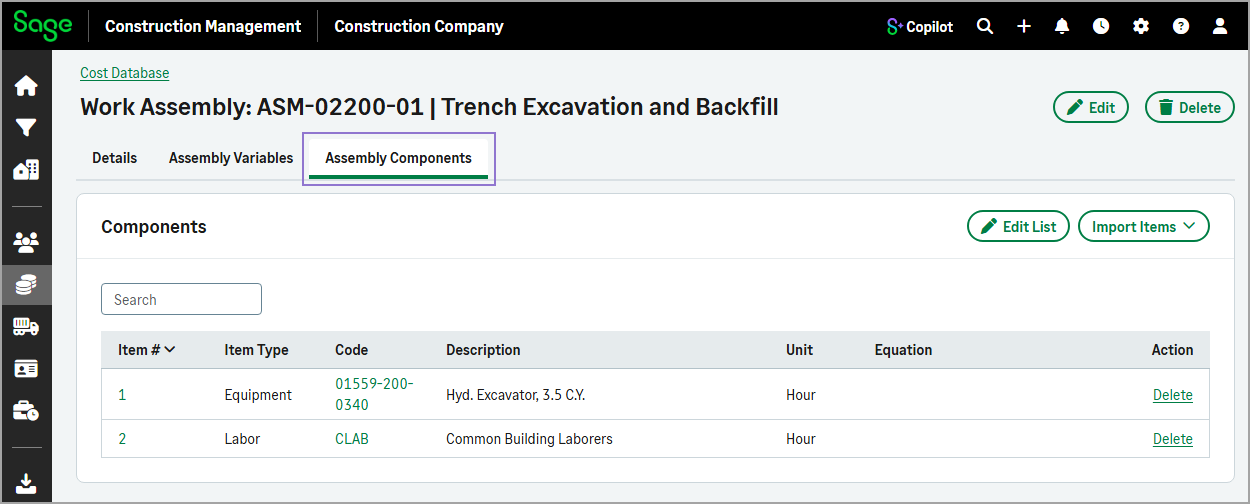
Assembly Components
Displays the individual components that make up the work assembly.
The Delete action is now available at the top of the page, allowing you to remove a work assembly directly from the current record.
The Add Work Assembly and Edit Work Assembly forms have also been updated with the same layout, making it easier to view and manage item information.
These enhancements improve navigation and make related information easier to find and manage.
How it works
- Go to Cost Database.
- Select the Work Assemblies tab.
- Optionally, use the Search field to filter the list.
Select the work assembly code to open the record.
Use the tabs to quickly access related work assembly details.
- To update general work assembly information, select Edit.
To add a classification, select Add Classification in the Classifications section on the Details tab.
To add variables, select the Assembly Variables tab, and then select Add Variables.
To import equipment, labor, or work items as components to the assembly, select the Assembly Components tab, and then select Import Items.
To delete the current work assembly, select Delete at the top of the page.