Improved navigation for not posted or failed transactions
Related information
 Related topics
We've streamlined the navigation within the Projects, Accounts Payable (AP), and Accounts Receivable (AR) tabs in the AccountingLink for QuickBooks Online to reduce clutter and improve usability.
Details
Previously, each tab included separate links for viewing transactions that were not posted and those that failed to post. These options are now consolidated into a single link per tab.
How it works
-
Go to Accounting Link.
-
Do the following as needed:
-
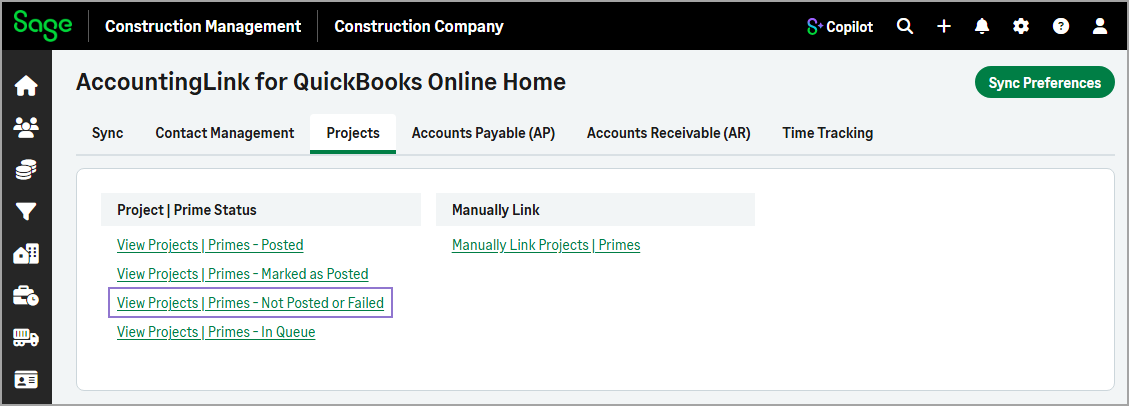
Select the Projects tab, then select View Projects | Primes - Not Posted or Failed.
-
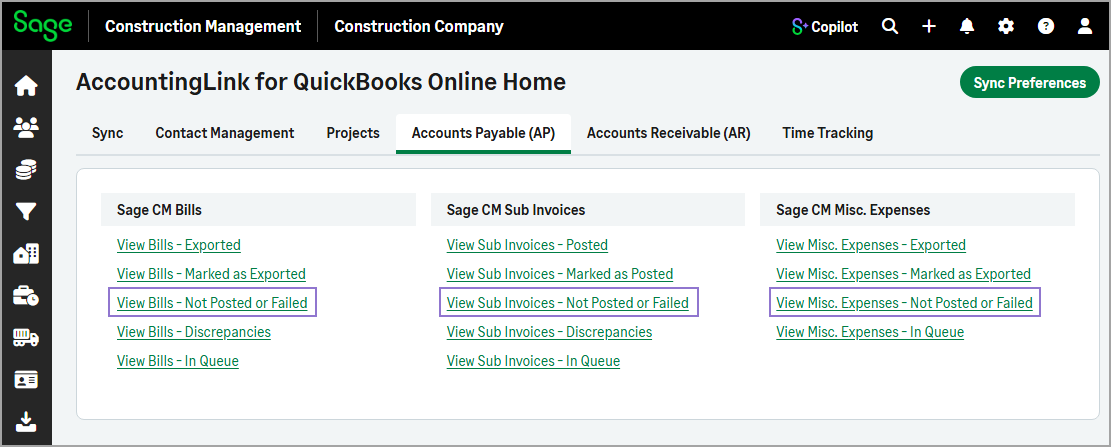
Select the Accounts Payable (AP) tab, then select View Bills - Not Posted or Failed, View Sub Invoices - Not Posted or Failed, or View Misc. Expenses - Not Posted or Failed.
-
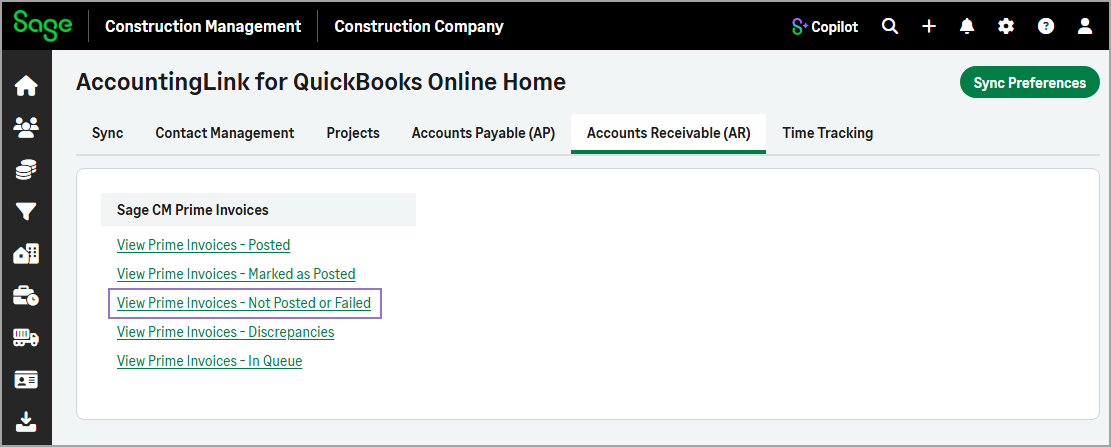
Select the Accounts Receivable (AR) tab, then select View Prime Invoices - Not Posted or Failed.
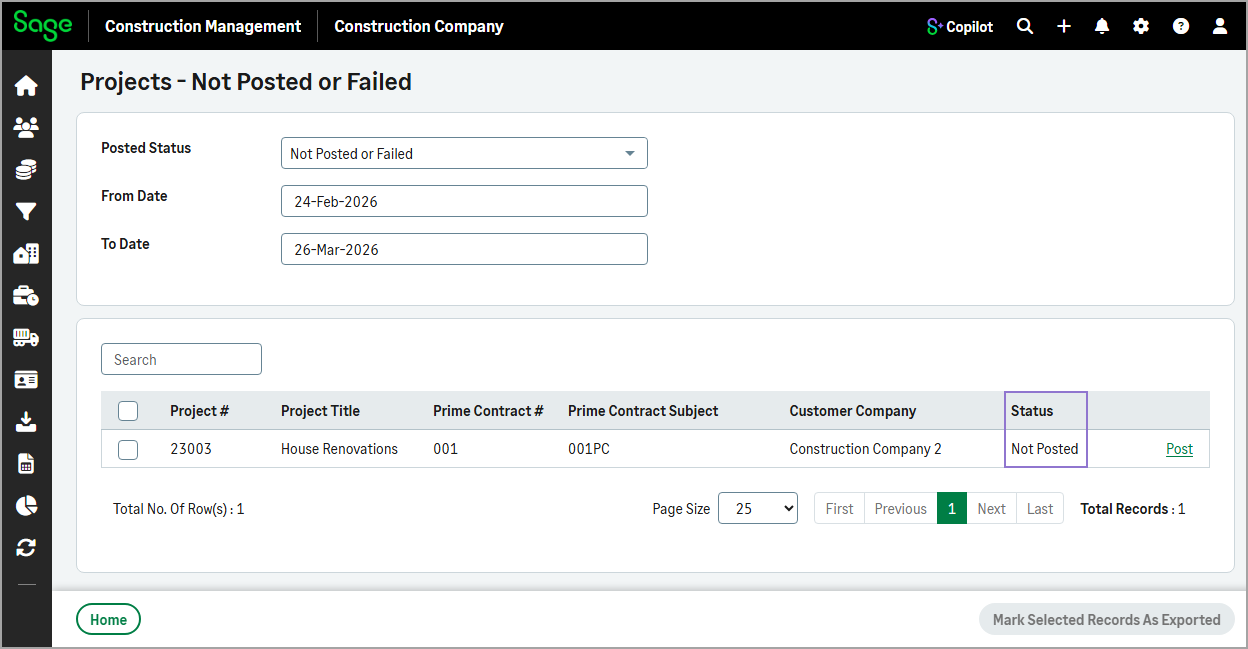
The Status column indicates whether the transaction has not been posted or failed to be posted.
-