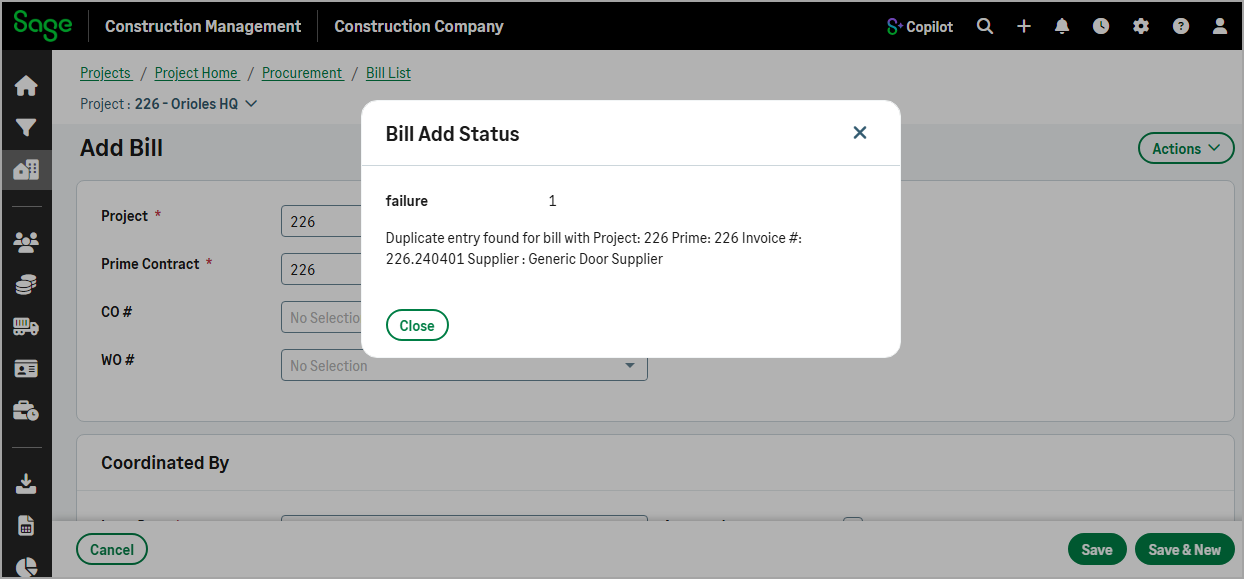
Check duplicate invoice numbers across all active projects
Related information
 Related topics
Duplicate invoice number validation has been enhanced to check bill and subcontract invoice numbers across all active projects.
Details
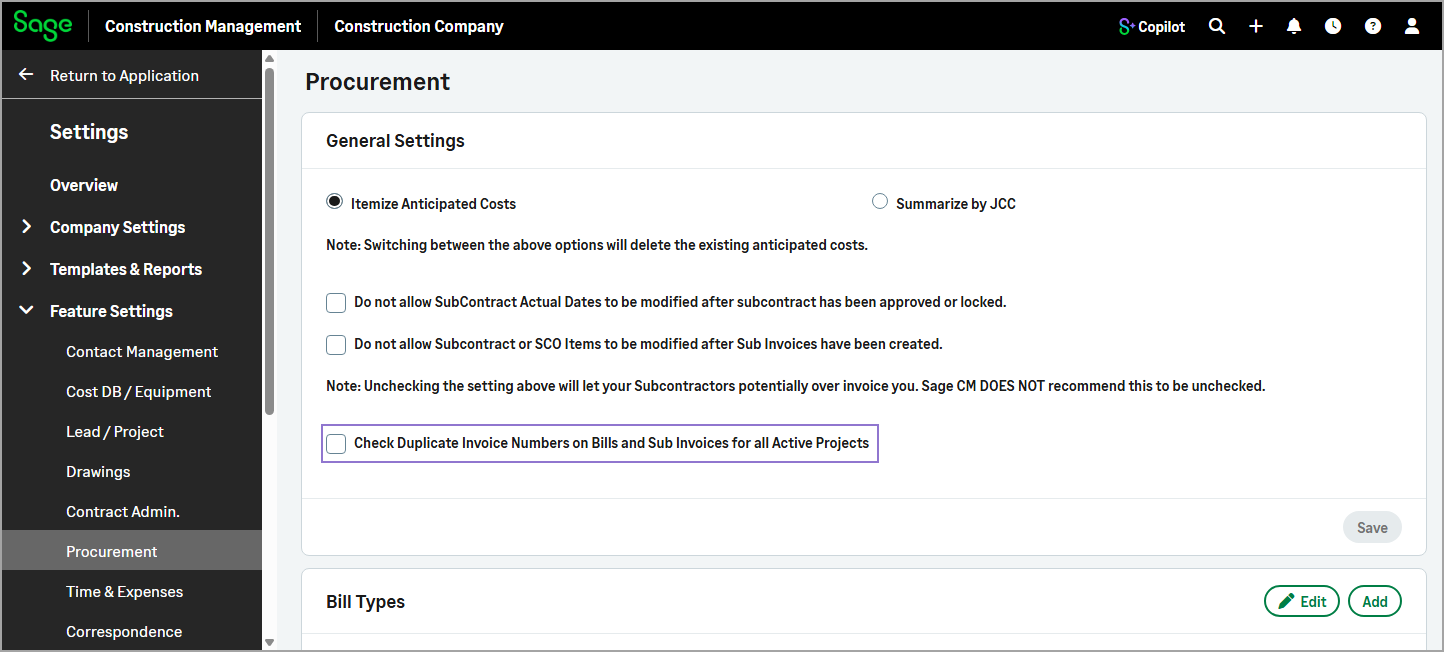
Previously, when the Check Duplicate Invoice Numbers on Bills and Sub Invoices checkbox was selected in Settings ( ) > Feature Settings > Procurement Sage Construction Management checked only the project referenced on the transaction.
With this enhancement, the setting has been renamed to Check Duplicate Invoice Numbers on Bills and Sub Invoices for all Active Projects and the functionality has been updated as follows:
-
When the checkbox is selected, bill and subcontract invoice numbers must be unique across all active projects. If the same invoice number exists on any active project, the transaction cannot be saved.
-
When the checkbox is cleared, validation is performed at the project level. Bill and subcontract invoice numbers must be unique for each vendor within a project, but the same invoice number can be used on different projects or for different vendors.
This enhancement strengthens duplicate invoice prevention across active projects and reduces the risk of entering the same invoice number on multiple projects.
How it works
-
Select Settings (
) > Feature Settings > Procurement. -
In the General Settings section, select the Check Duplicate Invoice Numbers on Bills and Sub Invoices for all Active Projects and then select Save.
When you create a bill or subinvoice using an invoice number that already exists in an active project, a duplicate entry message is displayed.