Automatic synchronization of addresses and project timesheets
Related information
 Related topics
You can now automatically synchronize information for clients, employees, and vendors, and import project timesheets from Sage Intacct.
Details
Options for synchronizing automatically address information for clients, employees, and vendors are now available in the AccountingLink for Sage Intacct to help keep data aligned between systems.
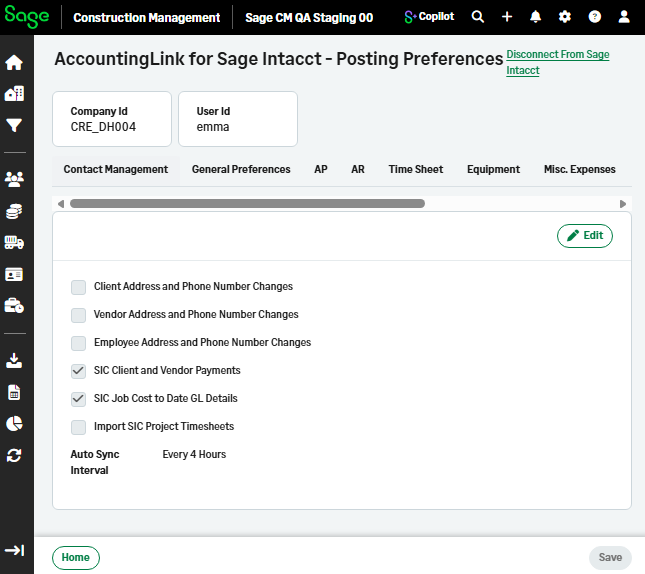
You can enable automatic synchronization of customer, vendor, and employee address and phone number changes. Project timesheets are also retrieved automatically from Sage Intacct.
How it works
- Select Accounting Link > Posting Preferences > Auto Sync.
- Select Edit.
- You can enable the following options, as needed:
- Client Address and Phone Number Changes
- Vendor Address and Phone Number Changes
- Employee Address and Phone Number Changes
SIC Client and Vendor Payments
SIC Job Cost to Date GL Details
Import SIC Project Timesheets - Enabled for selection when Retrieve SIC Project Timesheets is selected in Time Sheet.
- Select the synchronization interval from the Auto Sync Interval dropdown and select Save.