View and sort projects and leads by last viewed date
Related information
 Related topics
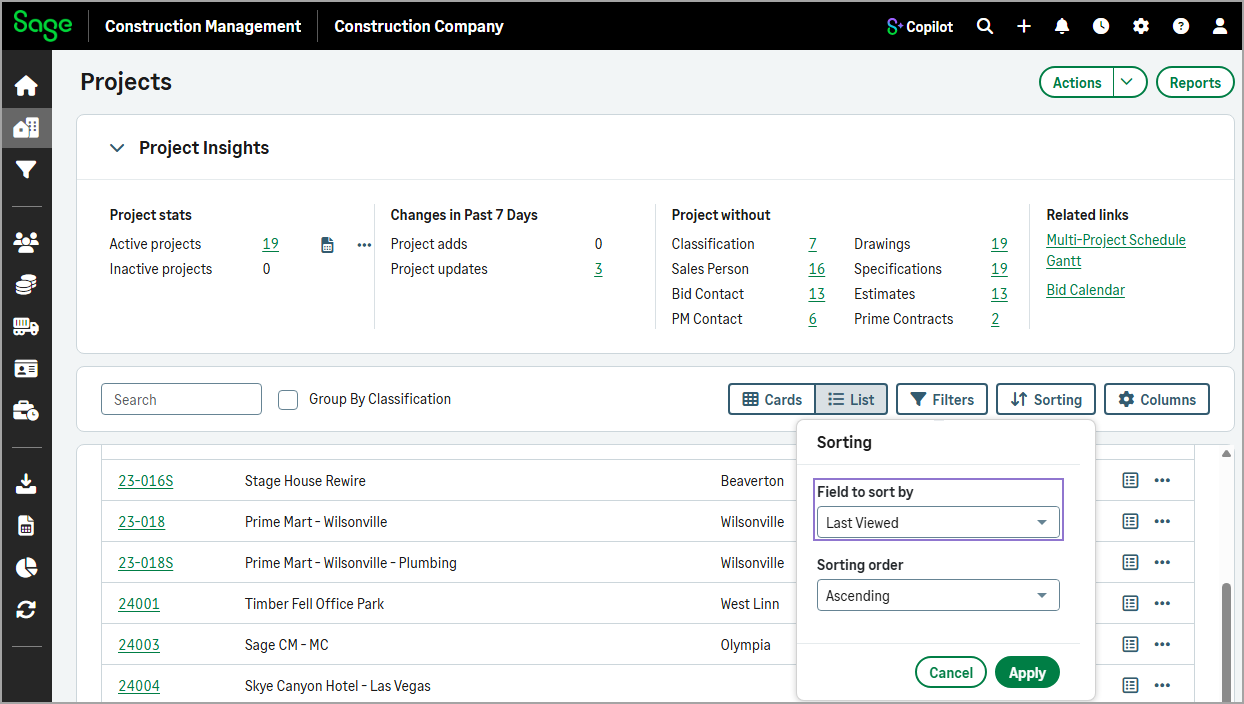
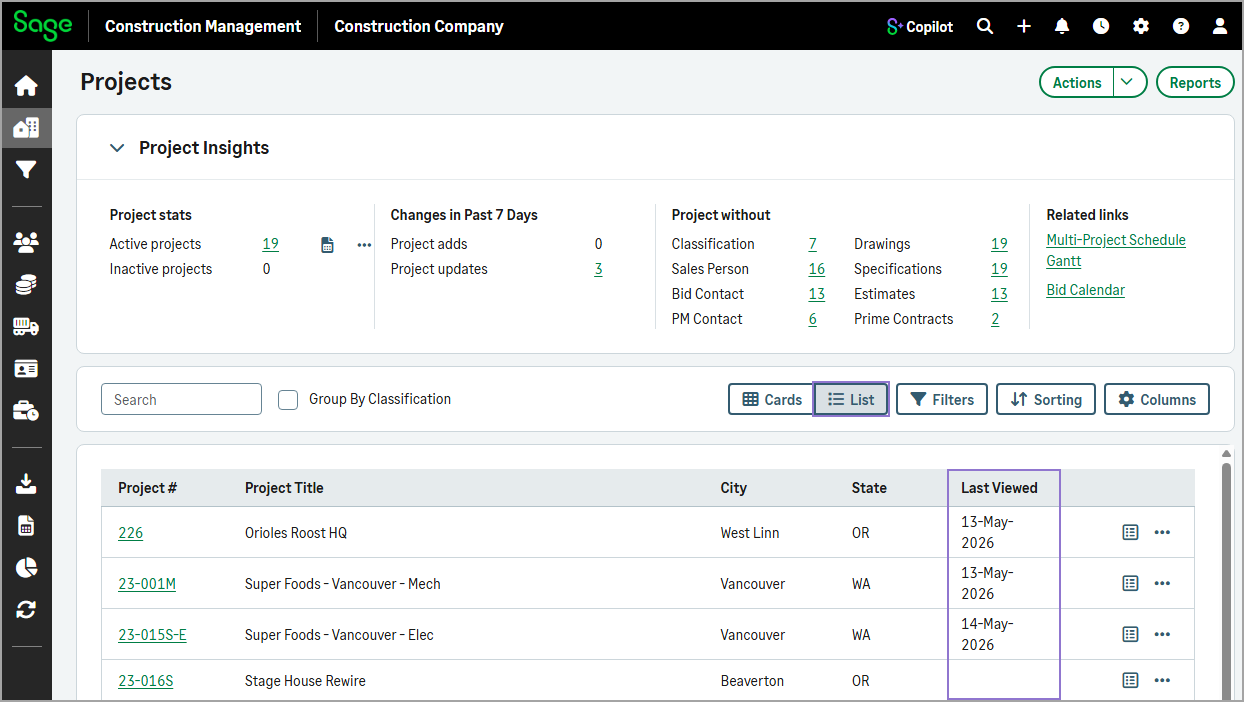
You can now see when a project or lead was last viewed and sort the list using this date on the Projects and Leads pages.
How it works
-
Select Projects or Leads.
-
Select the List view.
The Last Viewed column displays the most recent view date for each item.
-
To sort the projects or leads by the last viewed date, select Sorting, then select Last Viewed from the Filter to sort by dropdown.